
The RingCentral alternative built for recruiters
RingCentral is a general-purpose phone system.
CallMantra is built specifically for staffing and recruiting agencies.
- Month-to-month
- Free number porting
- Integrated with 15+ ATSs
RingCentral vs CallMantra: Basic overview
 CallMantra
 RingCentral (RingEX)
The information on this page reflects publicly available information, pricing and features we reviewed as of November 3, 2026. Product features, pricing, plans and terms may change.
Other things you should know about RingCentral
Add-ons and limits-
SMS overages: Core plan only includes 25 texts per user per month. Must buy SMS add-on bundles or upgrade to text regularly.
-
Call recordings: Stored only up to 90 days.
-
SMS Booster: Business SMS Booster costs $25.
-
Integrations: Listed only from Advanced plan ($35 per user, billed monthly)
-
Power dialing: RingCentral's contact center product, starts at $65 per user.
-
AI notes on every call: AI Conversation Expert (ACE) is licensed separately.
-
Conversational Intelligence: Starts at $60.
-
AI Receptionist: Starts at $39.
-
Extra numbers: $4.99 a month each.
-
Texting registration: The Campaign Registry (TCR) fees may apply, along with taxes and other fees.
What you get when you switch from RingCentral
All activities, logged
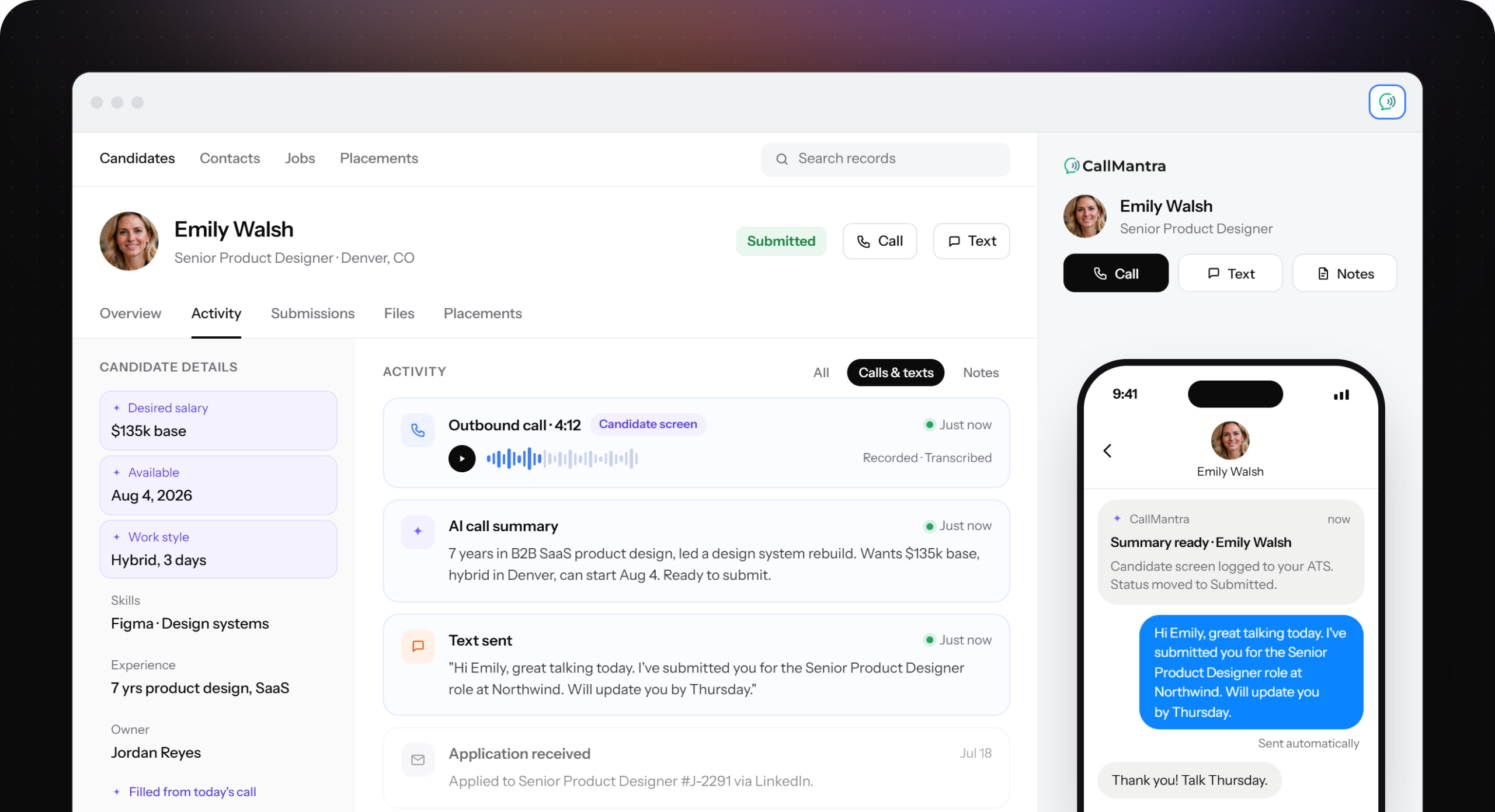
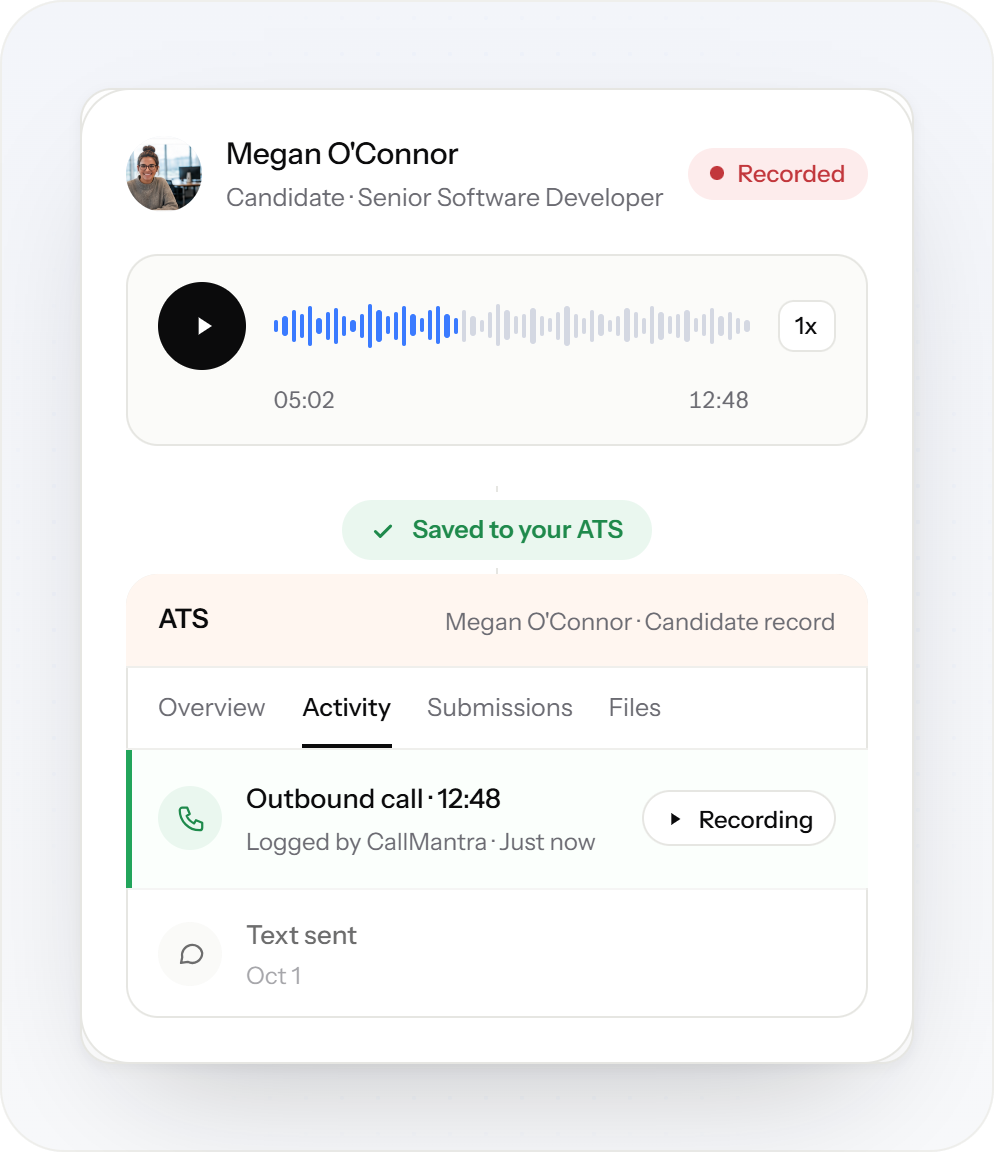
Calls and texts log to the matching candidate or contact in your ATS automatically. Works with Bullhorn, Crelate, Loxo, JobAdder, JobDiva and more. No copying and pasting, and nothing lost when a recruiter leaves.
Notes that write themselves
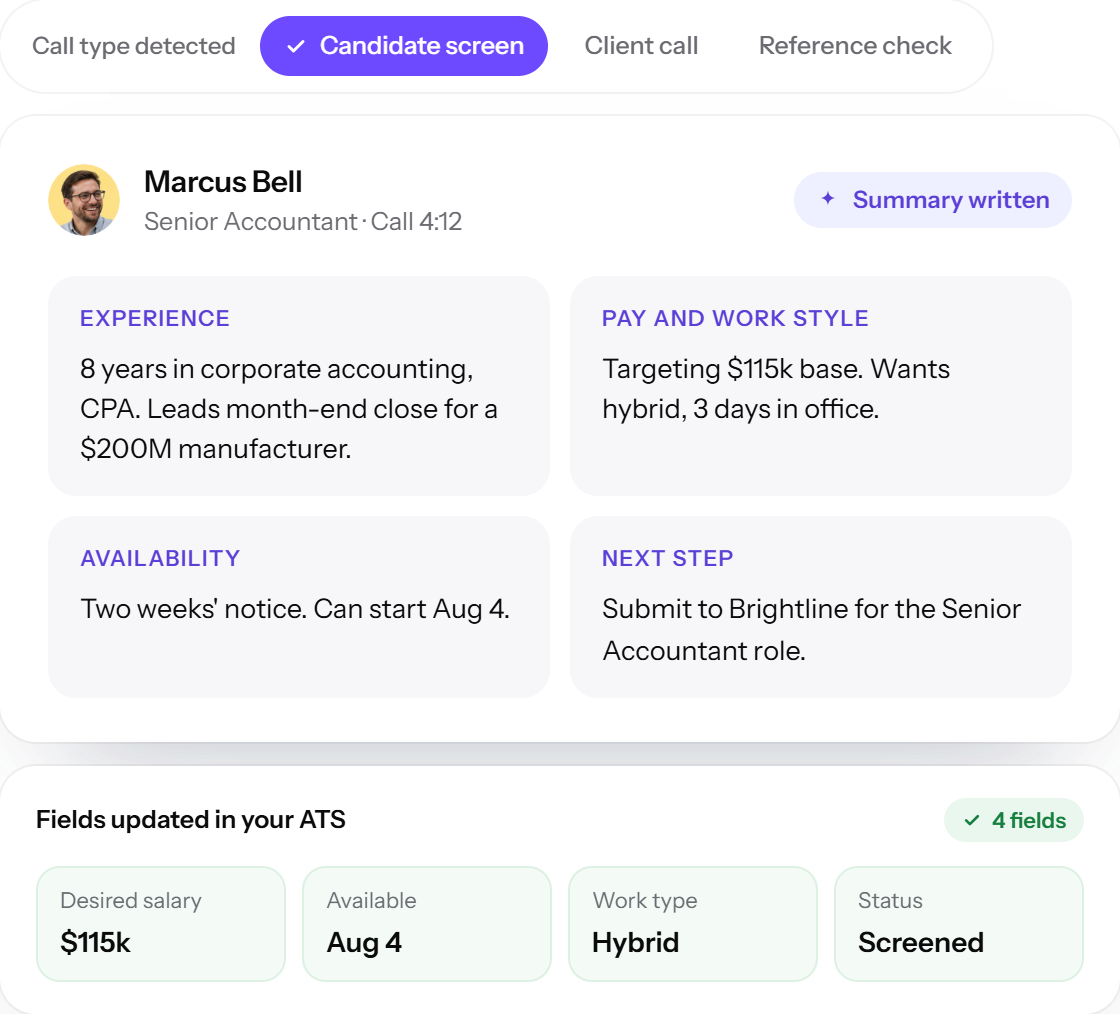
CallMantra knows whether it was a candidate screen, a client call or a reference check, and writes the summary to match. Then it fills the matching fields in your ATS.
Ask. Get answers.
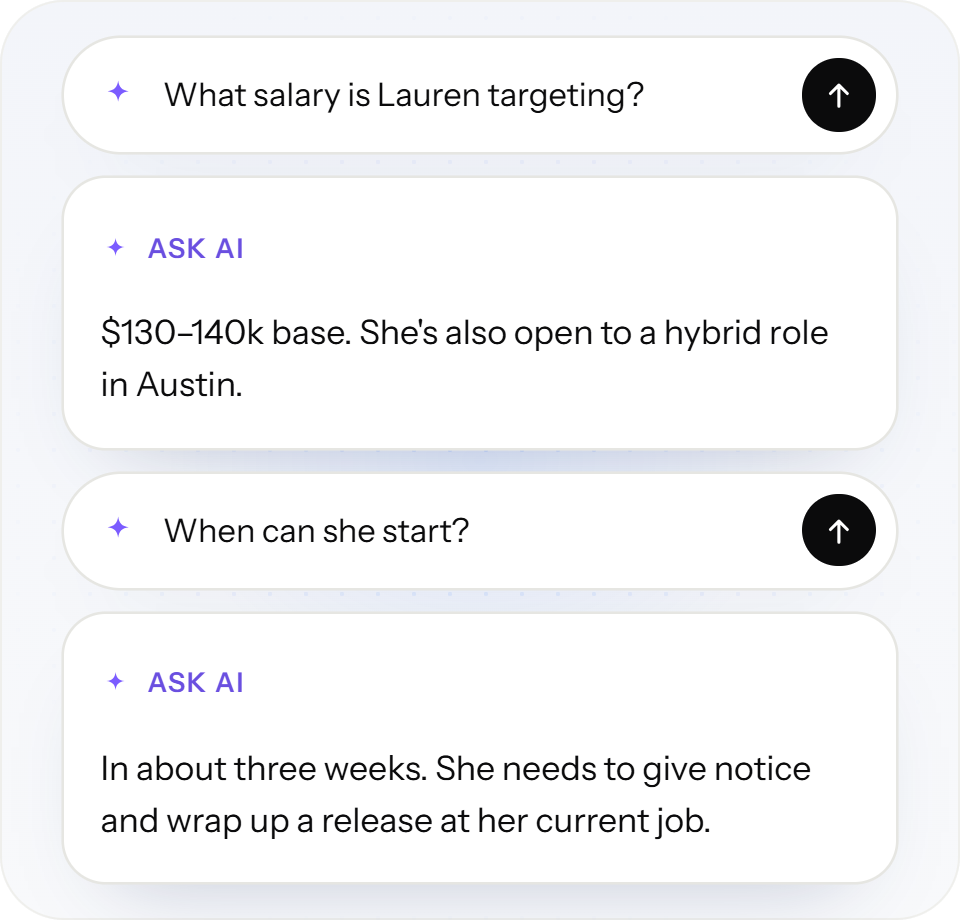
Ask questions like "What salary did she mention?" "When can he start?" Ask a question about any past call and get a straight answer, without replaying the recording.
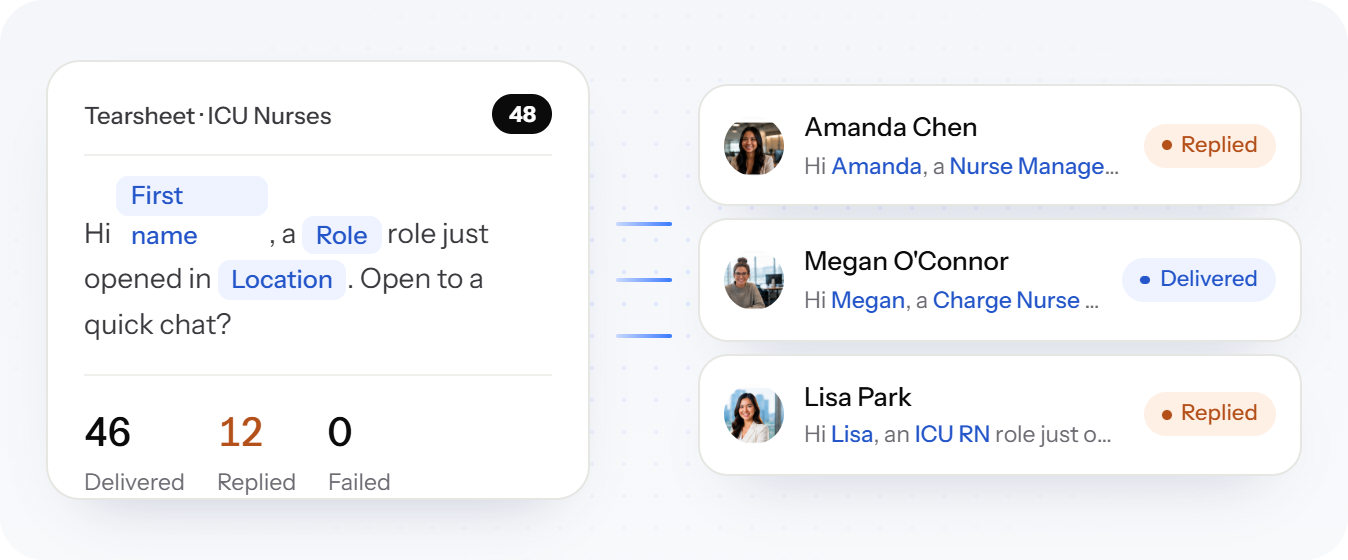
Text the whole shortlist in one go
Send one message to your entire candidate list and watch deliveries and replies come in live. For ongoing follow-up, set up a SMS sequence. It keeps going until the candidate replies, then stops.
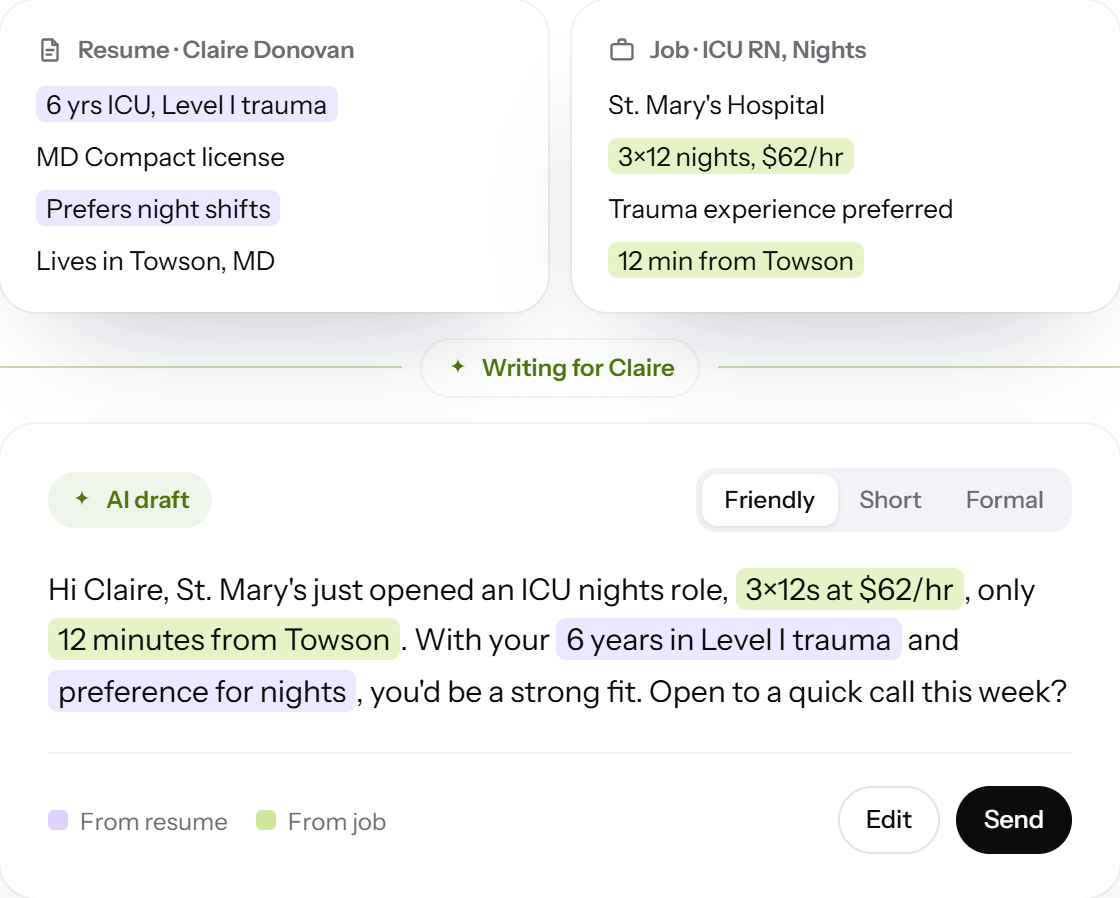
Let AI send personalized texts
CallMantra reads the candidate's resume and the job, then writes a text about why this role makes sense for them. You review it, tweak it if you want and hit send.
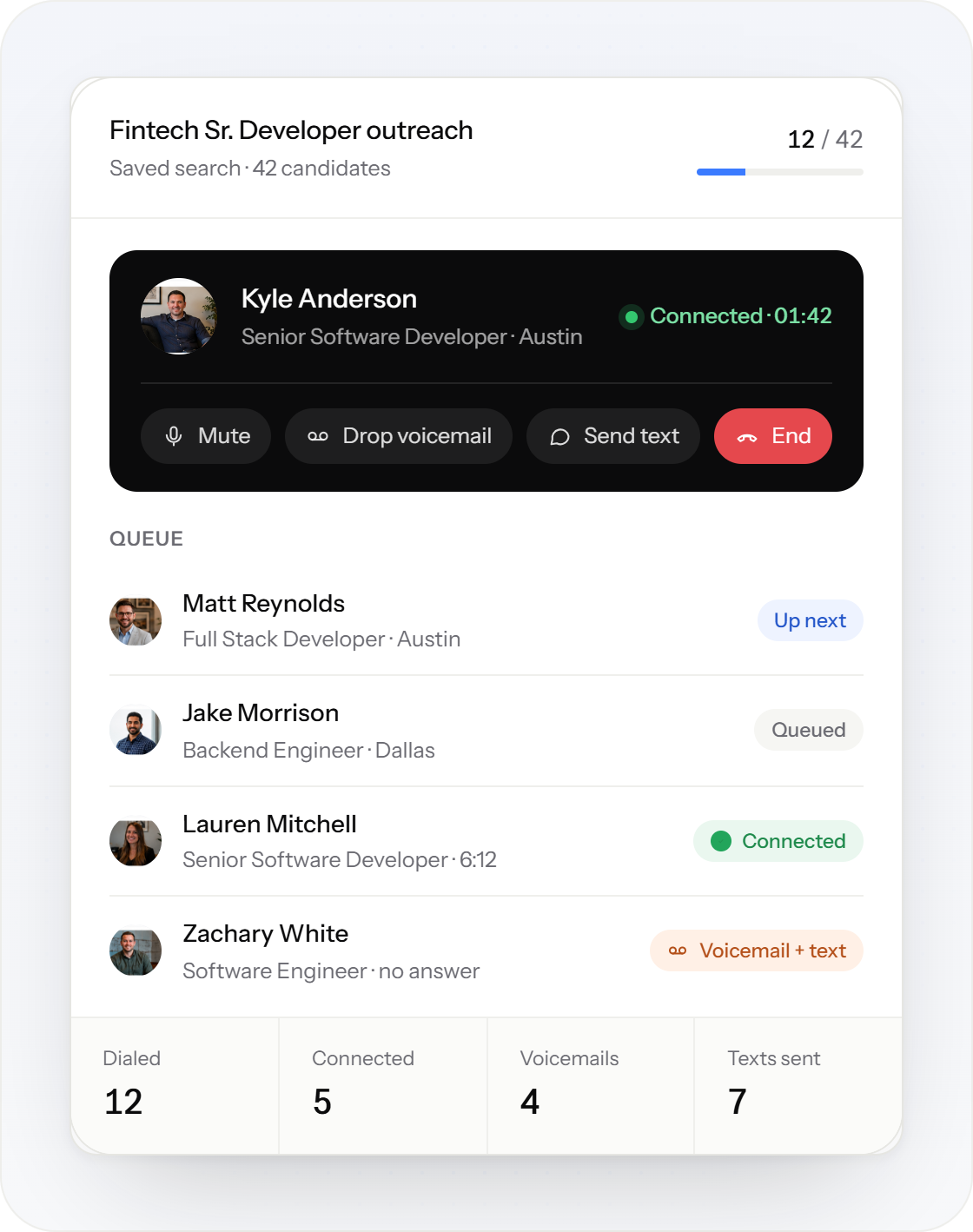
Get through your call list faster
Load the sheet and let CallMantra dial a list back to back. Hit voicemail? Drop a pre-recorded message in one click and move on.
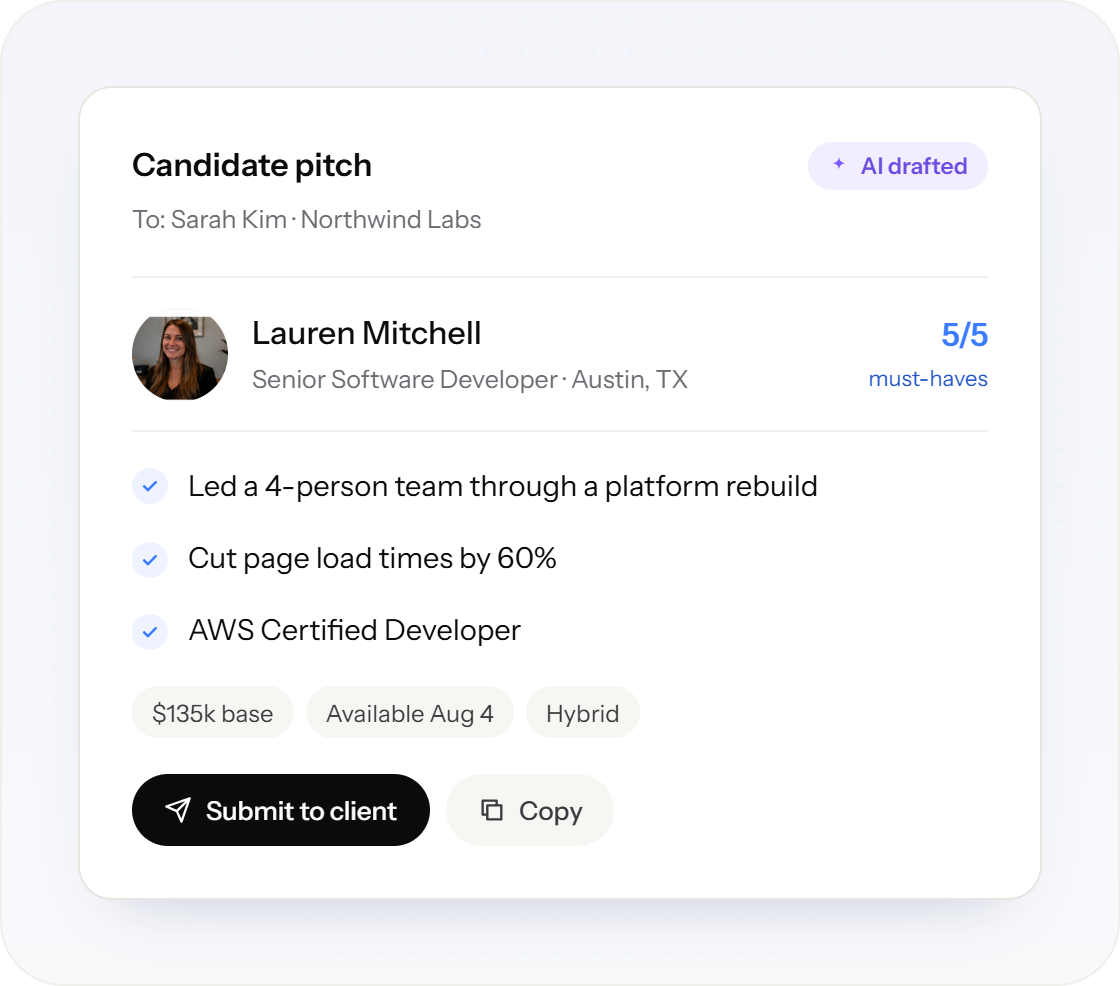
Turn a screen into a client pitch
CallMantra pulls highlights from the resume, the job description and your call, and drafts selling points you can send the client in seconds.
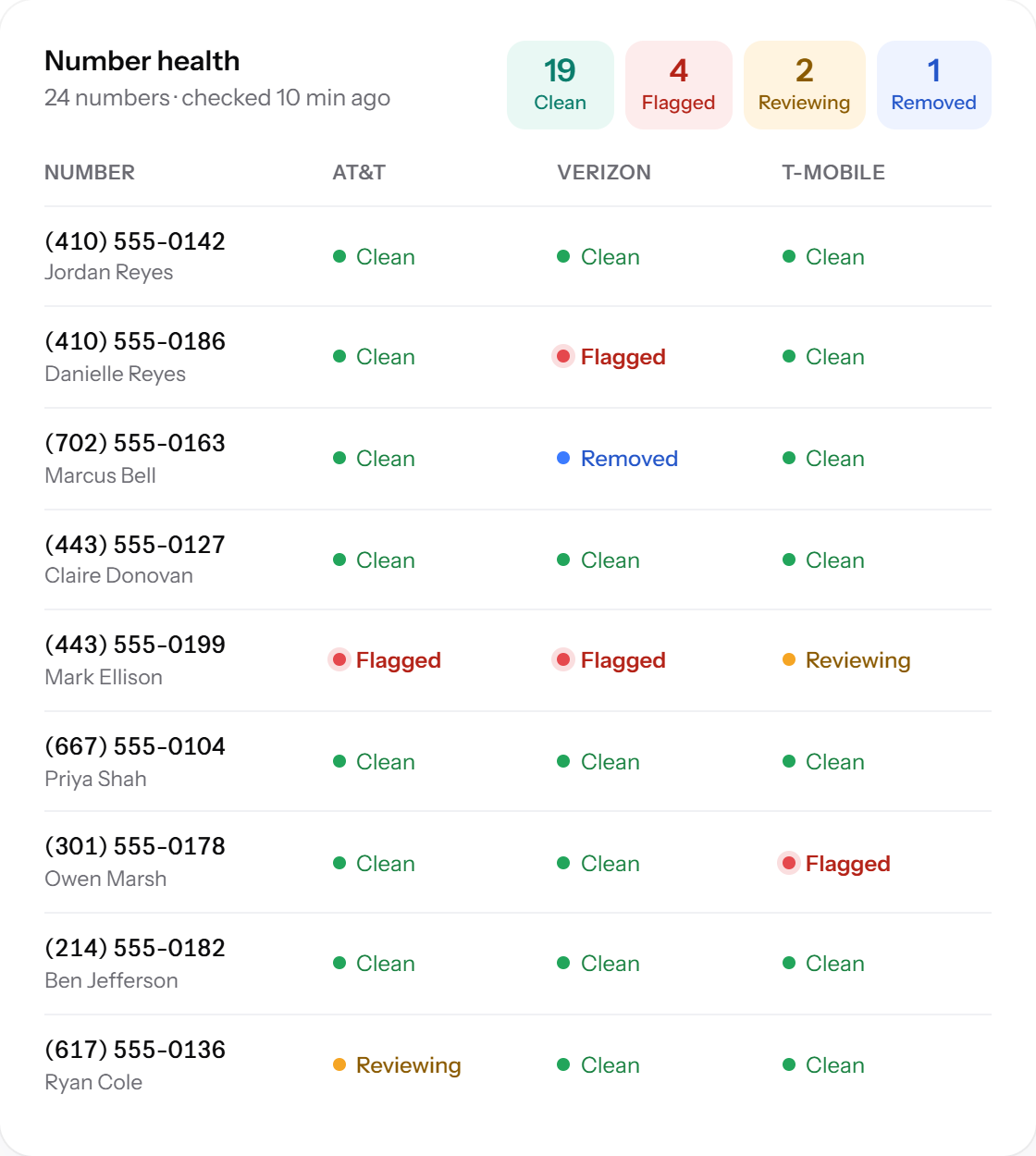
Calls that don't show up as "Spam Likely"
Watch each recruiter's number across carriers and work to get spam flags removed.
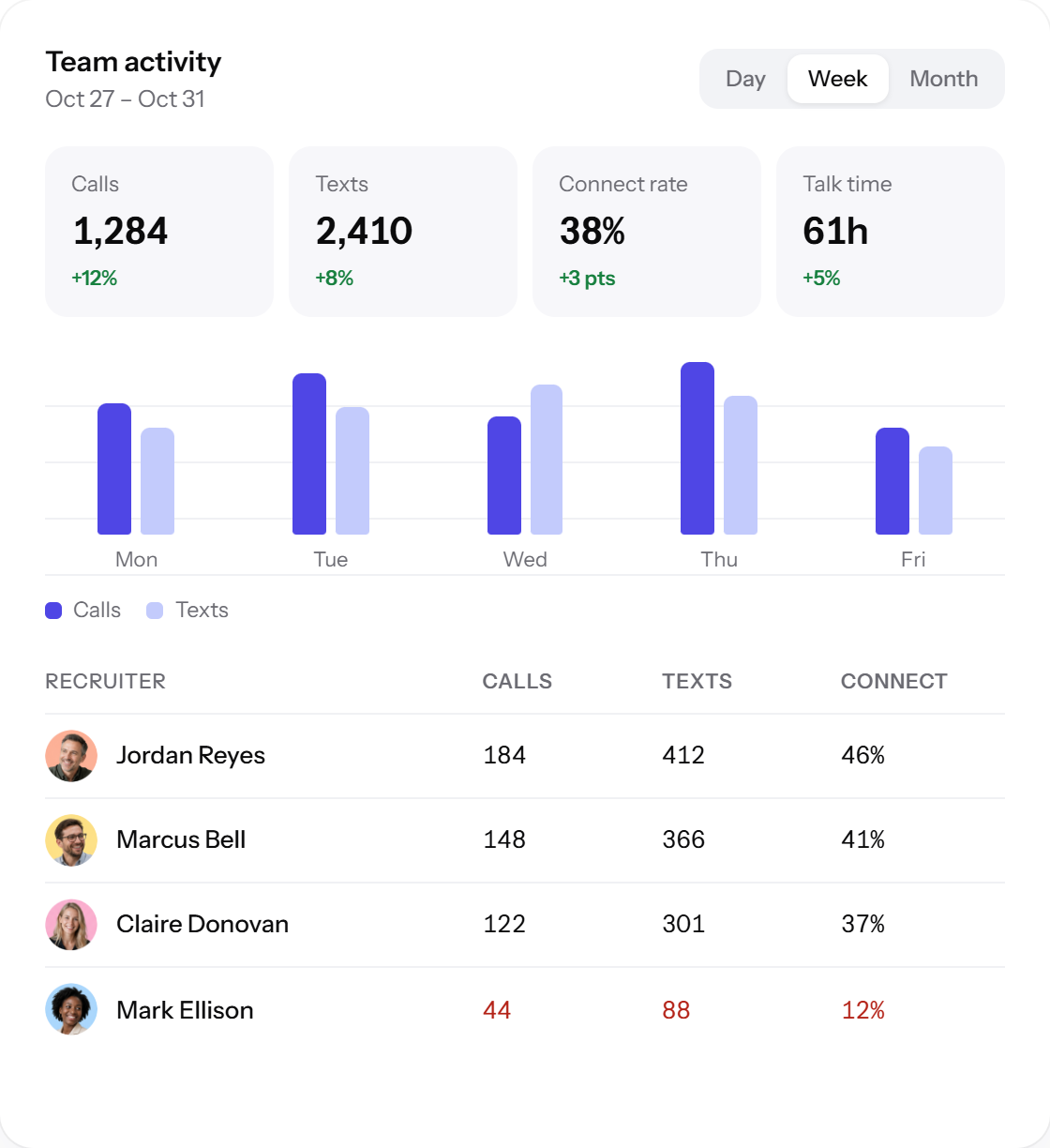
See what every desk is doing
Track call and text activity by recruiter, spot who's getting through and who's stuck, and know where to step in.
Plus everything else your desk needs
“We switched, best decision ever. CallMantra's AI does the heavy lifting - smart texts, auto-logged call summaries, candidate pitches, even coaching tips.”

Switching from RingCentral is easy
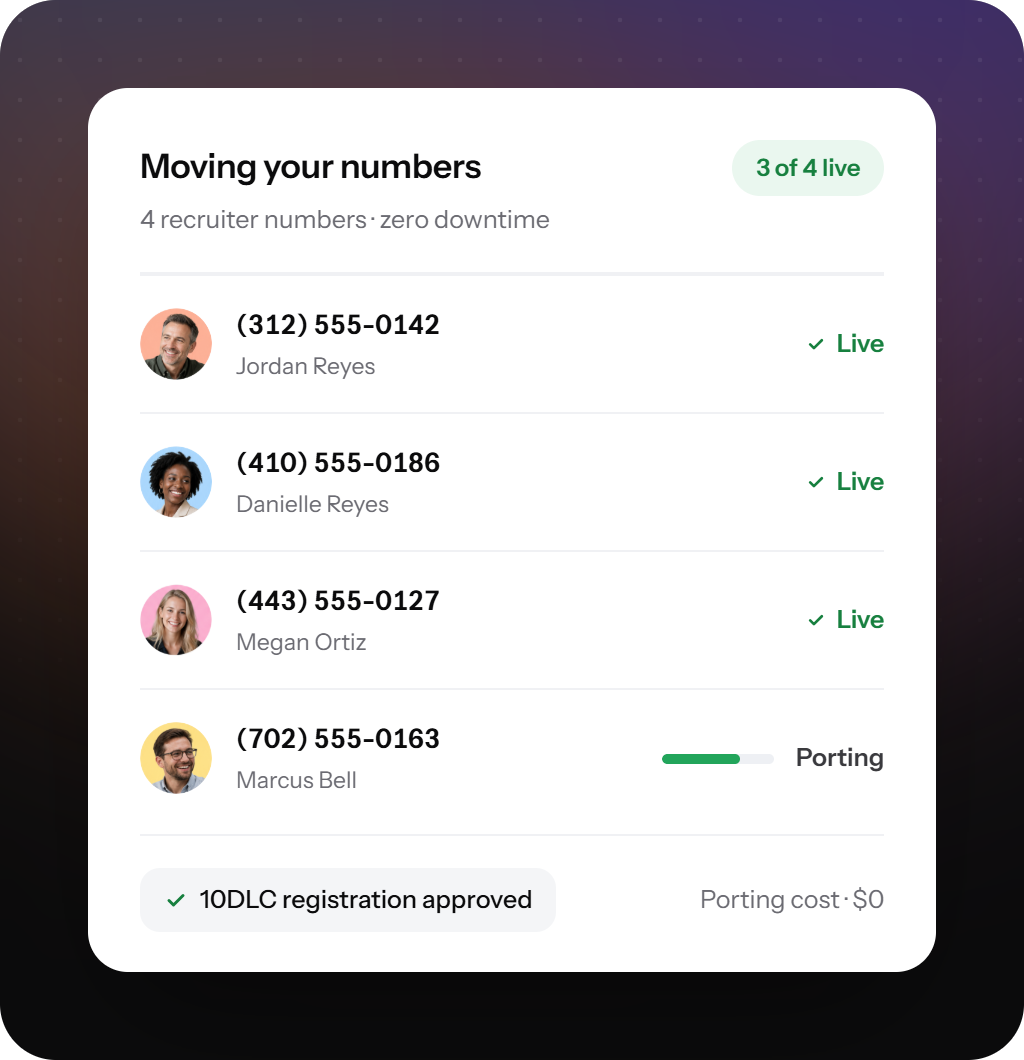
No big switch for the whole team. Your numbers, your texting and your ATS all come with you once you decide.
-
1
Start with one or two recruiters
Try CallMantra free for 14 days, with Premier access and no credit card. Everyone else keeps working on RingCentral.
-
2
Test it on real recruiting work
Connect your ATS, then call, text and follow up with real candidates. Check the AI call notes and see exactly what lands on the candidate record.
-
3
Bring your numbers and texting over
We port your RingCentral numbers for free, with zero downtime, and handle texting registration (10DLC) for you. Then roll out to the team month-to-month, with free onboarding.
Frequently asked questions
How quickly can I get started with CallMantra?
You can get started with CallMantra quickly. Sign up for a 14-day free trial with Premier access, get your recruiters set up and start calling and texting. Free onboarding is also available to help your team get everything set up the way they want it.
How quickly can I port my numbers from RingCentral to CallMantra?
Number porting is free with CallMantra, with zero downtime. The actual transfer timeline depends on your current provider and how quickly the required account details and porting information are approved.
You can also start setting up your team on CallMantra while the porting process is underway.
Can I try CallMantra with just one recruiter and a temporary number?
Absolutely. In fact, we recommend it. You can start with one recruiter and a temporary number to test CallMantra before moving your entire team over.
Try the calling, texting, AI features and ATS integration with a real recruiting workflow before deciding whether to port your existing numbers.
Do I need to cancel RingCentral before signing up for CallMantra?
Not at all. You can sign up for CallMantra and test it before cancelling RingCentral. It's worth checking your RingCentral contract end date and renewal terms first, especially if you're on an annual or longer-term agreement.
Why do staffing agencies switch from RingCentral?
It usually comes down to how recruiters actually use a phone system. RingEX texting is capped at 25 to 200 messages per user per month, depending on the plan. Power dialing means buying RingCX, a separate contact center product, while AI notes on every call require an ACE license on top of the plan.
There are a few day to day frustrations too. Some staffing agencies are locked into 12-month or longer contracts, support issues can take a while to get resolved and the app can feel clunky when recruiters are using it for their daily workflows.
For agencies that rely heavily on candidate calls, texts and ATS workflows, a dedicated recruiting platform can be a better fit.
Does RingCentral have a power dialer?
Yes, but it sits in RingCX, RingCentral's contact center product, which offers power, predictive and preview dialing starting at $65 per user.
RingEX plans don't list a power dialer, although App Connect adds voicemail drop. CallMantra Premier includes both Power Dialer and 1-Click Voicemail Drop.
How do I cancel RingCentral?
Start with your order form: check the contract end date and renewal terms, then contact RingCentral to arrange the cancellation.
If you're moving to another phone system, port your numbers before closing your RingCentral account. That way, candidates can still reach your team while the move is underway.
How long does RingCentral keep call recordings?
RingCentral's data retention policy keeps automatic and on-demand call recordings on its servers for 90 days. Accounts are capped at 100,000 automatic recordings and on-demand recordings are capped at 200 per user.
What's the best RingCentral alternative for a staffing agency?
The right pick is a phone system that matches how recruiters actually work, not one designed for general office calling. Before you choose a RingCentral alternative, make sure it gives you:
- A native ATS integration that logs calls and texts to the right candidate or contact record.
- Enough texting in their plans to keep up with candidate outreach.
- AI call notes that can tell a candidate screen from a client call or a reference check.
- A power dialer and voicemail drop that don't require a separate contact center.
- Number monitoring and delisting support when recruiters' calls get flagged as spam.
CallMantra covers all five, with month-to-month plans.
Can I keep my RingCentral numbers?
Absolutely. We can port your business numbers to CallMantra for free, and your RingCentral lines will keep working until the transfer is fully complete.
Built for recruiters.
Not everyone.
Keep calls and texts tied to your ATS, get AI notes written around recruiting conversations and give your team a phone system with no long-term contract.


