AI call summaries for Bullhorn

AI call notes for every Bullhorn call. Call Intelligence also transcribes calls, creates summaries tailored to the type of conversation

  • Month-to-month
  • Keep your numbers
  • Free onboarding
AI call summaries for Bullhorn
How it works

How do AI call summaries work with Bullhorn?

There are a few ways to add call notes to Bullhorn. Phone systems with built-in AI, like CallMantra, log and summarize the calls they handle. Bullhorn Amplify Transcribe focuses on scheduled video meetings, while meeting notetakers join calls or capture audio to create notes.

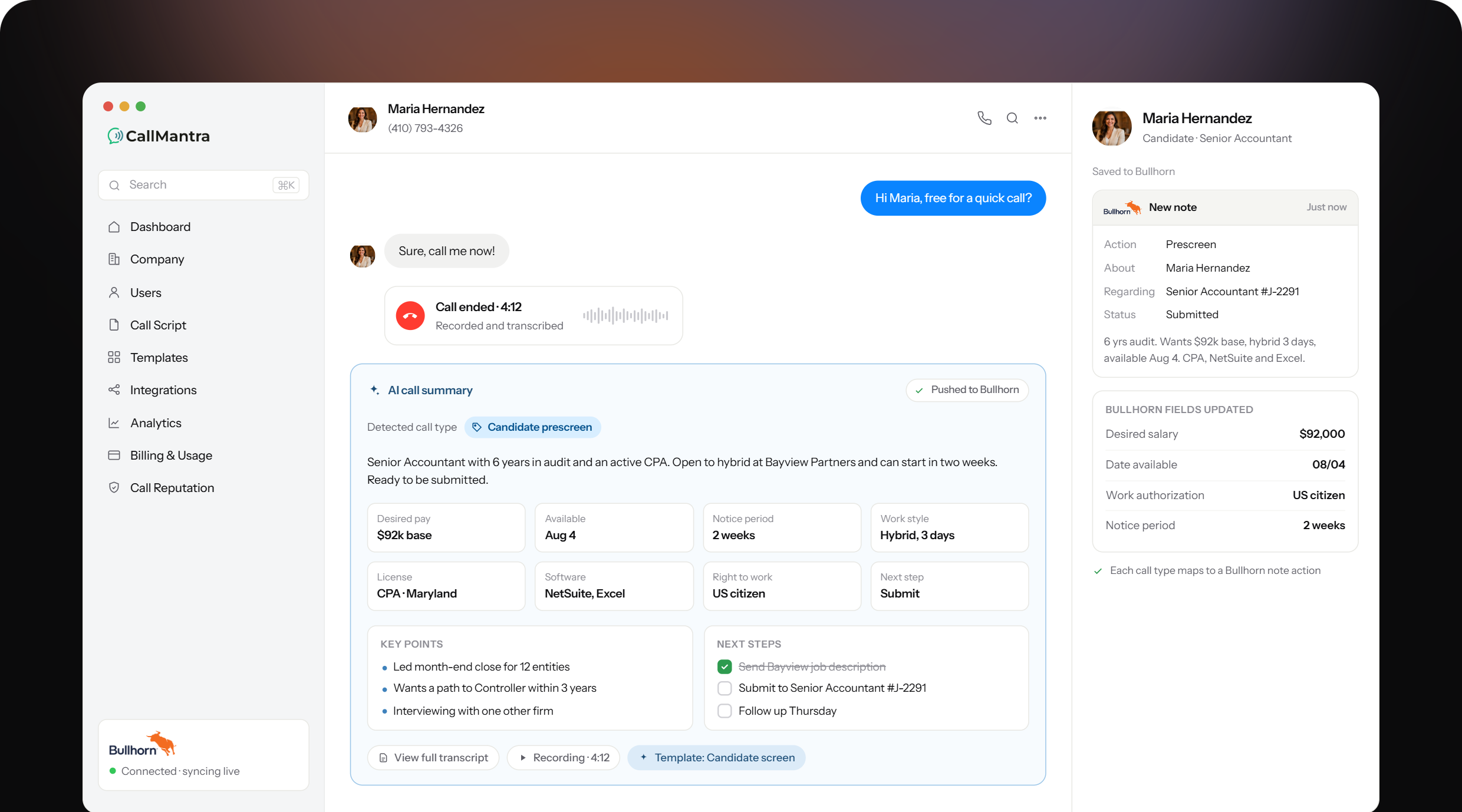
CallMantra handles calls and texts directly. It logs calls, texts, and voicemails to the right Bullhorn candidate or contact. Call Intelligence adds AI call summaries, links to the full transcript, and updates supported candidate fields.

What you can do with CallMantra

Every call, text, and voicemail logged
Automatic Logging

Every call, text, and voicemail logged

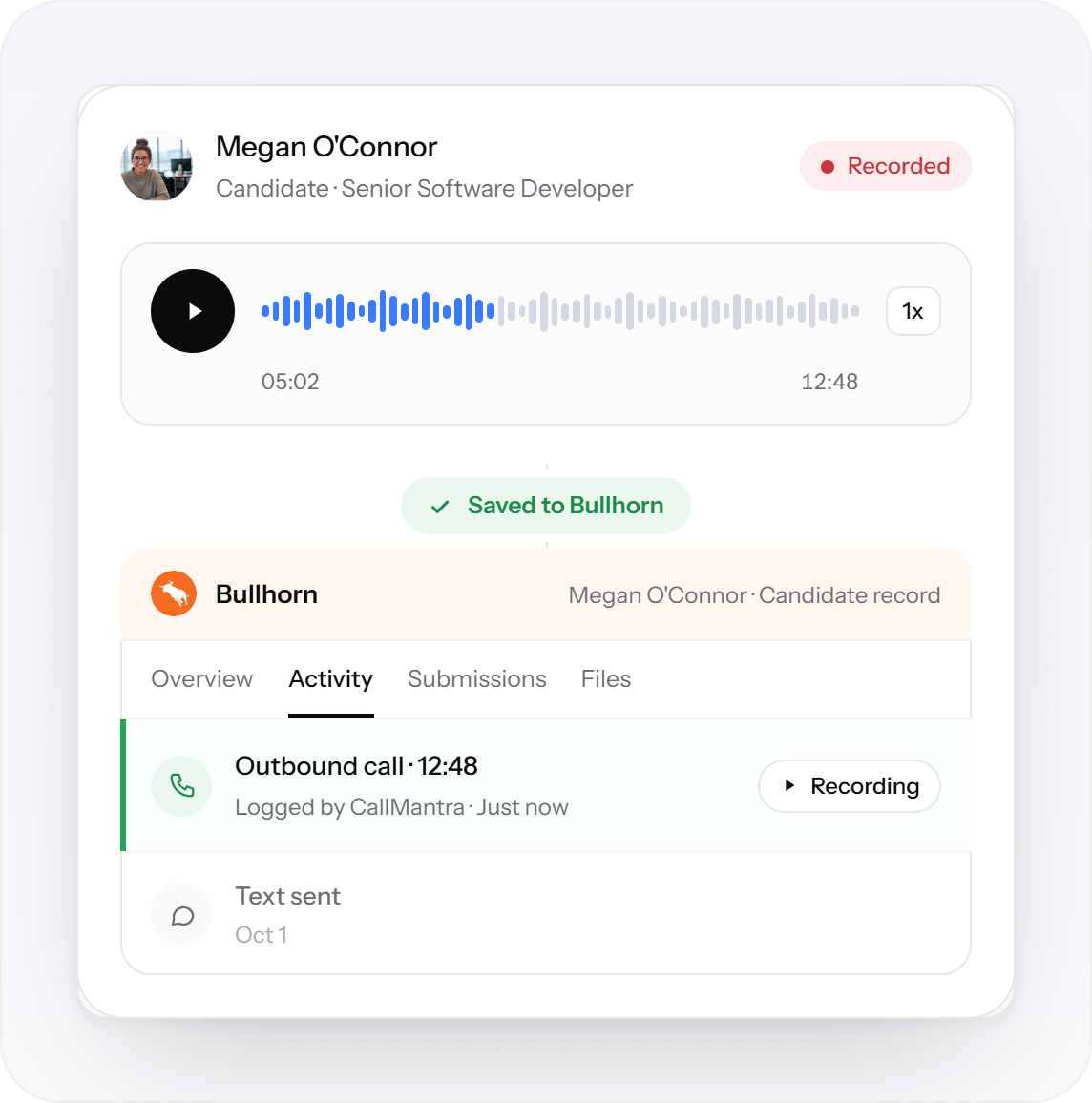
CallMantra automatically logs inbound and outbound calls, texts, and voicemails to the right Bullhorn candidate or contact (also includes a recording link). Auto-logging is included on every plan.
Call summaries that fit the conversation
Call Intelligence

Call summaries that fit the conversation

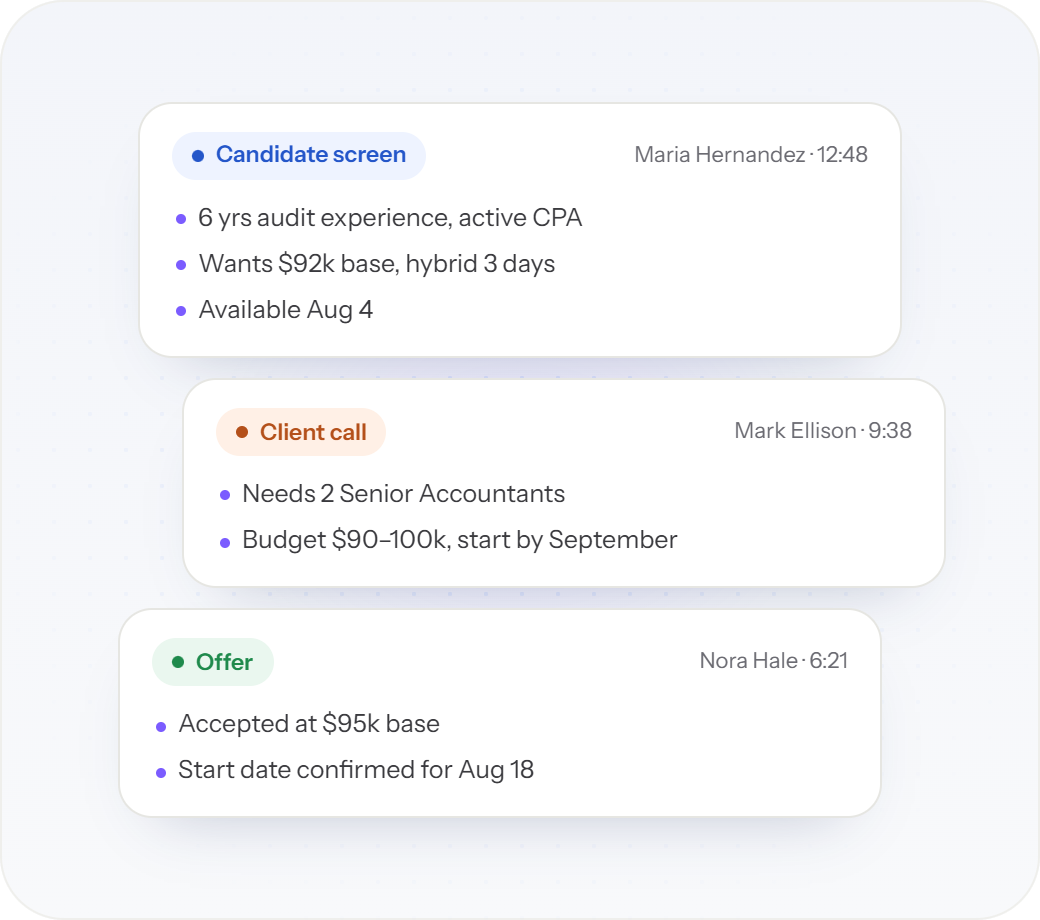
Call Intelligence tailors summaries to each call type, from screenings and interview feedback to offers and client conversations. It captures key details like experience, pay expectations, availability, and more.

Capture the details your team needs
Custom Prompts

Capture the details your team needs

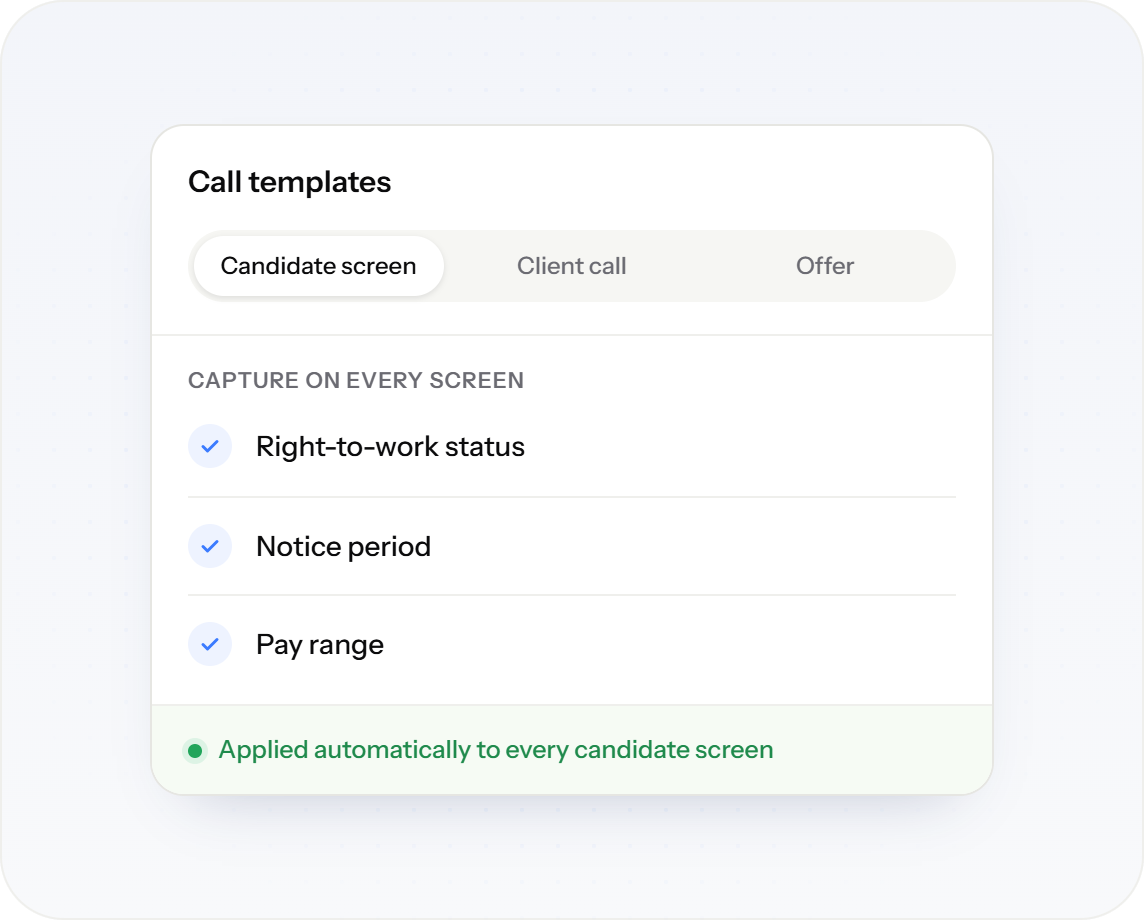
Create a template for each call type so recruiters capture information consistently. A screening template might cover right-to-work status, notice period, and pay range. A client call template can cover headcount and hiring timelines.

Find details without replaying calls
Transcript and Ask AI

Find details without replaying calls

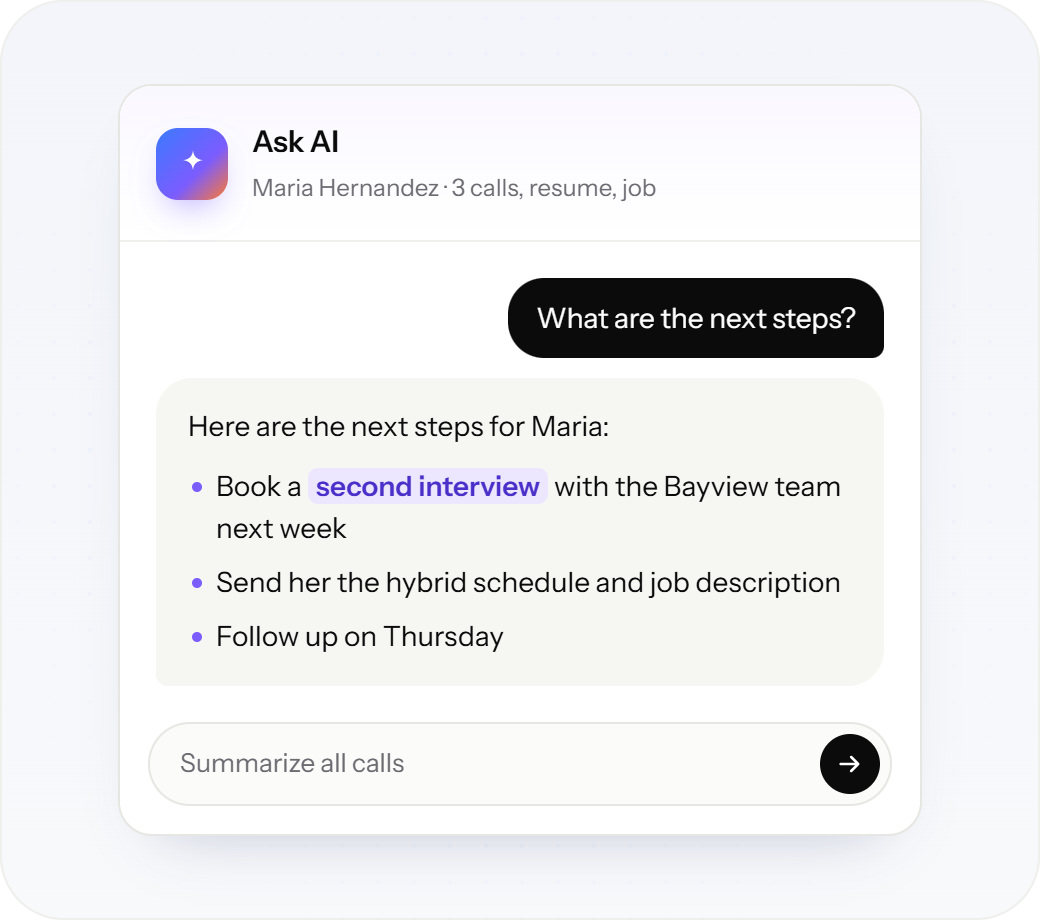
Get the answers you’re looking for in seconds. Ask AI questions like "What are the next steps?" or "Summarize all calls" using the candidate's calls, resume, and job details.

Get started in no time

  1. 01

    Connect Bullhorn and make a few calls

    Start with a 14-day free trial that includes full Premier access and Call Intelligence, with no credit card required.

  2. 02

    Set up your call types and templates

    During free onboarding, configure the summaries your team needs for candidate screens, client calls, and offers, along with the Bullhorn fields to update.

  3. 03

    Roll it out to your recruiters

    Call logging is included on every plan. Add Premier, which includes AI call notes, for the recruiters who need it. Billing is month-to-month, and you can keep your existing numbers.

Frequently asked questions

What tools transcribe and summarize candidate calls in Bullhorn?

There are a couple of options options here,

  • Phone systems with built-in AI, like CallMantra, transcribe and summarize the calls they carry and write notes to Bullhorn automatically.
  • Bullhorn Amplify Transcribe joins scheduled video meetings, while Live Transcribe captures computer audio when a recruiter starts a recording. Meeting notetakers join or record meetings and post notes to Bullhorn.
Does every call get logged, even without AI notes?

Yes. Every CallMantra plan logs calls, texts, and voicemails to Bullhorn. AI summaries, transcripts, Ask AI, and field updates are included with Premier.

How soon does the AI note appear?

CallMantra generates AI call notes within a few seconds of the call ending, so recruiters can quickly access summaries and key details.

Can we choose what the summary includes?

Yes. Custom Prompts lets your team create a template for each call type, so summaries capture the details your recruiting process requires.

Let AI write the notes after every call

Every call logged automatically. Every call can also be summarized for its type and saved to the right candidate record.