Bullhorn power dialer
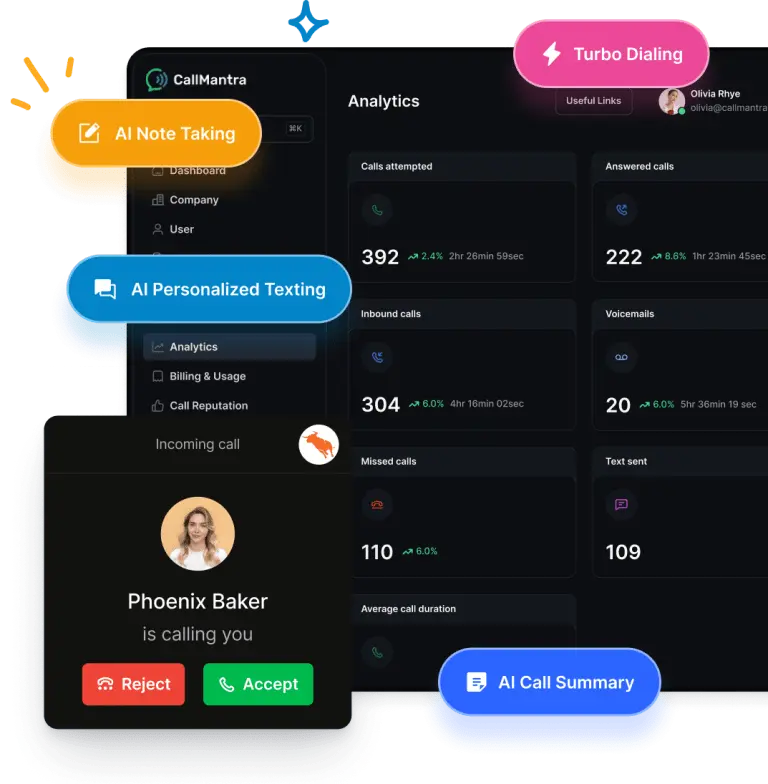
CallMantra’s Bullhorn Power Dialer automatically dials through candidate or contact lists from Bullhorn, logs every call, and syncs notes, recordings, and outcomes in real time.
Why manual dialing slows recruiters down
Recruiters lose valuable time copying phone numbers, tracking activity, and logging outcomes manually. Over hundreds of calls per week, those seconds add up to hours.Problems

The faster way: Bullhorn Power Dialer by CallMantra
CallMantra eliminates manual dialing so recruiters can focus on conversations that convert.
With CallMantra’s Power Dialer, recruiters can:
- Click to call from Bullhorn lists Select multiple candidates or contacts and auto-dial through them in sequence.
- Make up to 100 calls per recruiter easily Streamlined calling means no wasted seconds between dials.
- Auto log calls to Bullhorn Every call’s duration, disposition, and AI summary are logged automatically.
- Pause or skip calls Recruiters stay in full control of the call queue.
- Personalize conversations View Bullhorn candidate data (notes, past calls, job info) right before each call.
- AI call summaries included Summaries and outcomes are synced instantly under each candidate record.
- Save up to 2 hours daily per recruiter Less admin work means more meaningful connections.
Comparison table: manual dialing vs Bullhorn Power Dialer
| Feature | Manual dialing | CallMantra Power Dialer |
|---|---|---|
|
Calls per hour
|
 8–10
8–10
|
 20–25
20–25
|
|
Dialing method
|
Manual copy and paste
|
Automated sequential dialing
|
|
Call logging
|
Manual entry
|
Automatic with AI summaries
|
|
Missed follow-ups
|
Frequent
|
Nearly zero
|
|
Connect rate
|
30–40%
|
55–70%
|
|
Recruiter focus
|
Split between admin and calling
|
100% on conversations
|
Key features built for Bullhorn recruiters
- Click to call from any Bullhorn list or view
- Local phone numbers and spam monitoring to improve pickup rates
- AI-powered call summaries automatically logged in Bullhorn
- Call recording with secure access controls
- Performance reports by recruiter and campaign
Real recruiter impact
| Metric | Before Power Dialer | After Power Dialer |
|---|---|---|
|
Average calls per hour
|
10
|
50+
|
|
Connect rate
|
38%
|
65%
|
|
Time spent dialing
|
1.5 hrs/day
|
0
|
|
Admin effort
|
High
|
Minimal
|
|
Time to follow-up
|
12–24 hrs
|
Instant
|
Don’t just take our word for it
“CallMantra’s Bullhorn Power Dialer completely changed how our team works. Connect rates jumped from 35% to over 60%, and every call logs automatically in Bullhorn.”

Michael Carter

Director of Operations, Next Staffing
“Since we started using CallMantra’s Power Dialer, outbound calling feels effortless. Recruiters love how easy it is to click to call from Bullhorn and see everything logged instantly.”

James
Team Lead, Peak
“It just feels like having a smart assistant who never misses a thing. Even subtle candidate preferences or skill updates are captured and synced, saving our team hours every week.”

Carlos Herrera
Team Lead, ExpertHiring
Frequently asked questions
Yes. You can filter Bullhorn lists by job title, location, or pipeline stage and dial through selected candidates only.
Yes. Recruiters can display local numbers to improve pickup rates.
With Bullhorn calling integration, each call is automatically logged as an activity with duration, outcome, AI summary, and optional recording link.
Yes. The dialer gives full control to skip, pause, or reprioritize calls during the session.
Absolutely. AI summaries and follow-up texts can be triggered automatically after each call.
Call faster. Connect better. Recruit smarter.
Let CallMantra’s Bullhorn Power Dialer help your team double connect rates and eliminate manual work.